How to Plan Your Week When Last Week’s Plan Fell Apart
Build a weekly plan from real capacity, not an ideal week. Review carryover, choose fewer promises, and leave room for change.
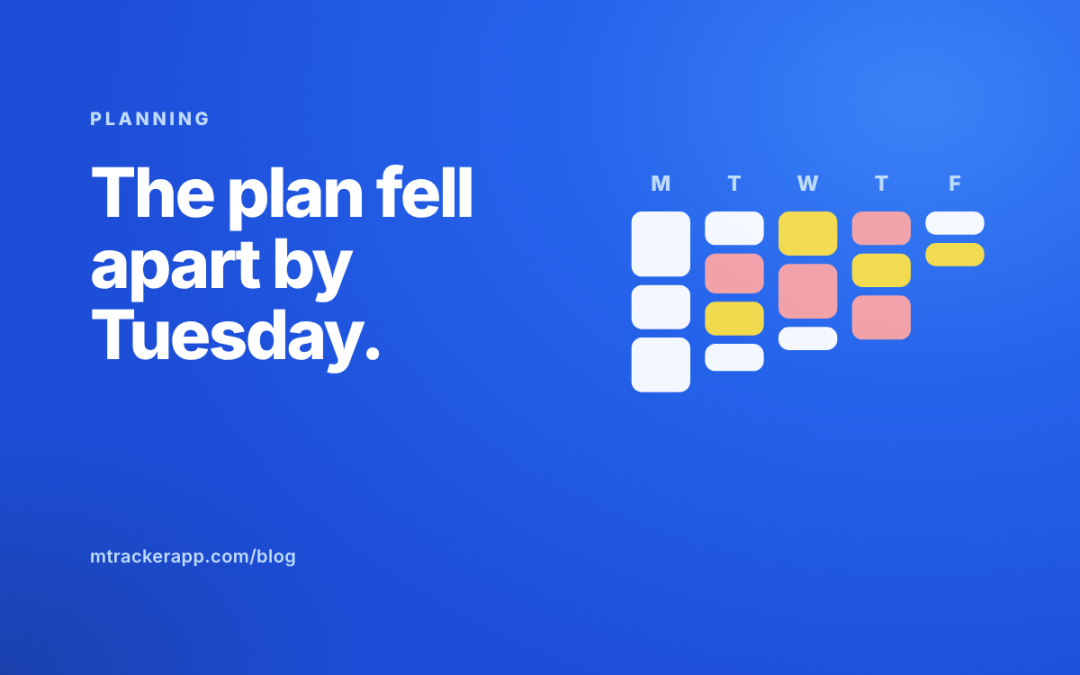
Sunday’s plan looked possible. Monday brought a new request. Tuesday had extra meetings. By Thursday, the plan no longer matched the week.
If this happens often, making a more detailed plan may not help. You need a plan based on what your weeks are actually like.
Start with last week’s evidence, fixed commitments, and unfinished promises. Then choose a small set of results that fit the time left. Plan the rest as options, not hidden obligations.
Review the old plan without rewriting history
Look at what you intended to finish and what you actually finished. Include useful work that arrived later. A week spent handling a real customer problem was not empty simply because it did not match the original list.
For each important item that slipped, name the cause. Was it larger than expected? Did you lack an input? Did a more urgent request replace it? Did you spend time on work that no longer mattered?
Keep the explanation specific enough to change next week’s plan. Drag the handle to compare the two explanations.
Clear the list before filling the calendar
Collect loose tasks from notes, messages, and your task manager. Then remove duplicates, close completed items, and decide what is no longer needed.
Separate commitments from possibilities. A request you have accepted and promised is different from an idea you would like to explore.
Do not place every possibility in next week’s calendar. Keep a separate later list so you can find it without treating it as overdue work.
For carried tasks, use a clear decision: finish, split, unblock, schedule, or drop. If you need a fuller method, use the unfinished-task review.
Count the week you actually have
Write down your available work windows. Remove fixed meetings, leave, appointments, and recurring duties. Allow for work that reliably arrives but rarely makes the plan, such as support or review requests.
Use recent records to estimate those demands. If client replies took several hours in each of the last few weeks, assuming zero next week is not optimistic. It is missing part of the job.
Leave some unassigned time for uncertainty. The right amount depends on your role. A support-heavy role may need much more flexibility than a week of protected project work.
Choose finished results, not broad intentions
“Make progress on marketing” is hard to plan or review. “Publish the revised service page after checking the form” is a finished result. Drag to compare.
Choose a small number of results that matter this week. Estimate their remaining work and identify dependencies. If they do not fit, reduce scope or make a trade-off before the week begins.
Do not solve a full plan by assuming evenings will absorb the overflow. If extra work is genuinely necessary, make that an explicit short-term decision rather than the hidden default.
A worked weekly plan
Here is a fictional example. A consultant has 30 work hours available. Eight hours are already booked for client calls and recurring admin. Based on recent weeks, she keeps four hours open for likely client requests. That leaves 18 hours for planned delivery.
Her chosen results are a client proposal, a research summary, and a revised workshop outline. Together, she estimates 15 hours of work. The remaining three hours allow for corrections and small uncertainties.
She places the proposal drafting before the review deadline and the research block after the data arrives. The calendar reflects the order the work can actually happen.
Keep your blocks flexible but meaningful
Use work blocks to protect attention, not to claim you can predict every minute. Name the result or type of work each block supports.
Clockify’s time-blocking guide describes assigning time to work and comparing plans with actual time. For your own plan, the useful part is learning from the gap, not treating a moved block as a personal failure.
Blocks protect attention. They can’t predict every minute.
When something urgent arrives, choose what it replaces. Do not simply stack it on top of the existing plan.
Use a short midweek check
Ask whether the main commitments still fit. Check for delayed inputs, scope changes, or work that proved larger than expected.
If a deadline is at risk, communicate now. A Wednesday adjustment usually gives people more options than a Friday apology.
Avoid rebuilding the whole system every time the week changes. Update the affected commitment, keep the reason, and continue.
A weekly reset note you can copy
- Last week’s useful progressIncluding work that arrived later
- What changed the planSpecific causes, not “discipline”
- Promises still openAccepted and owed to someone
- Fixed time next weekMeetings, leave, admin
- Likely recurring workFrom recent weeks, not zero
- Main finished resultsTwo or three that fit
- First action for each resultSomething you can start Monday
- What is not happening this weekThe later list
- Midweek check timeDay and time
Use last week’s record, not memory
In M-Tracker, tasks, recorded sessions, and goals can provide evidence for this reset. Review what you worked on, choose the tasks that support the next useful result, and record the new plan.
The app does not remove uncertainty, but it can reduce how much you need to reconstruct from memory.
Get started for freeNo credit card required. No employee surveillance.
Common weekly-planning questions
Should I plan on Friday or Sunday?
Choose a time when you can review the old week and see the next one clearly. The day matters less than having current commitments and a realistic view of available time.
How many priorities should I choose?
There is no magic number. Choose based on the size of the work and the time available. One large delivery may fill the week more than five small ones.
What if my role is mostly reactive?
Plan for coverage, recurring demands, and a small protected result rather than a rigid project schedule. Use the review to spot recurring requests that could be prevented or handled more simply.

Work you can trust, without redoing it.
Your team gets feedback before work reaches you, or your client.
Copyright © 2020 – 2026 M-Tracker. All Rights Reserved. Privacy Policy